
0% fee on your first event
Every light is a ticket sold
Create your event page and share the link. Guests buy tickets in 30 seconds with no sign-up, and the money goes straight to your Stripe.
- Concerts & Live Shows
- Club Nights & Raves
- Festivals
- Stand-Up & Theater
- Workshops & Classes
- Conferences & Meetups
- Sports Events
- Community Gatherings
The whole box office in one tool
Everything you need to set up tickets, work with promoters, accept payments, and track ad performance in one clean dashboard.


Fast check-in without queues or paper lists
Scan QR tickets with your phone camera, sell tickets at the door, and see how many guests are inside in real time.
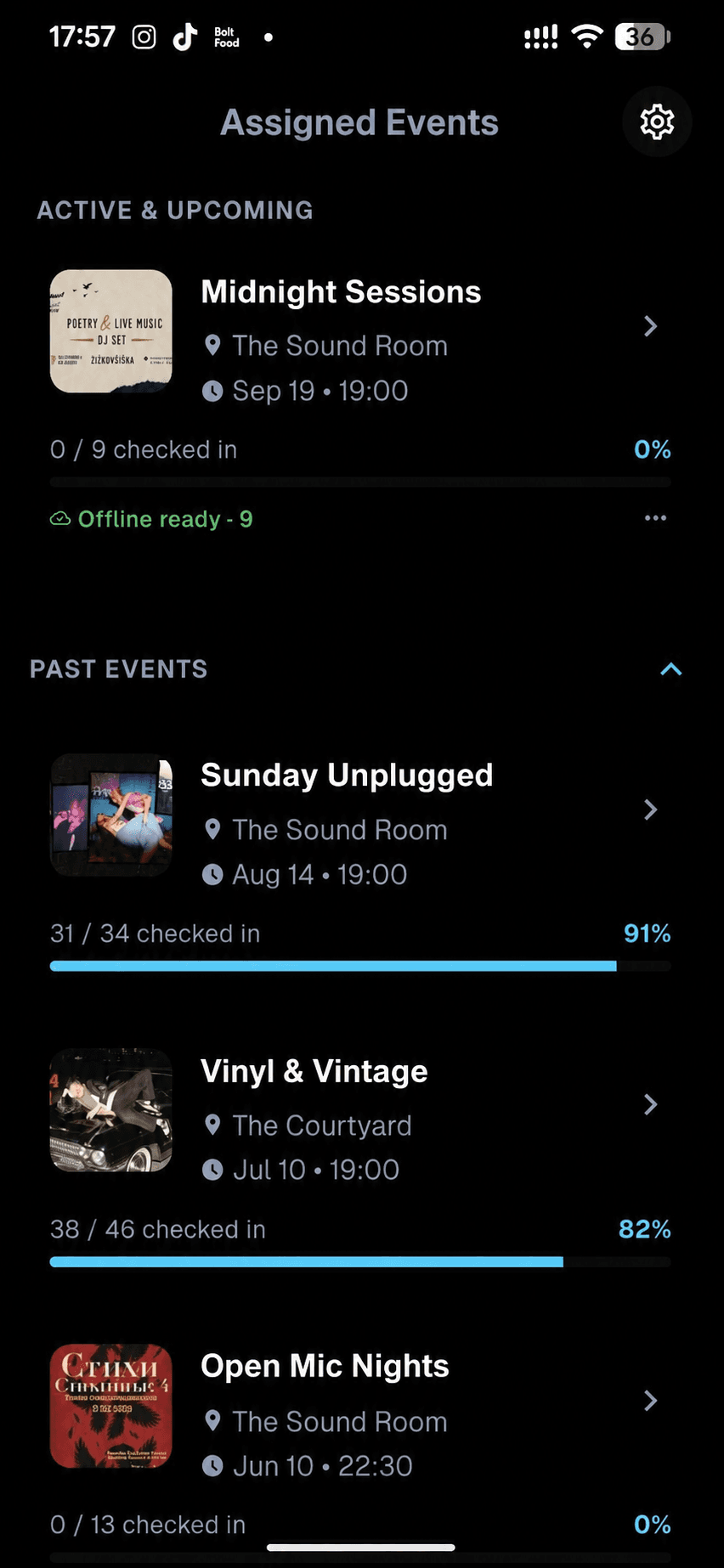
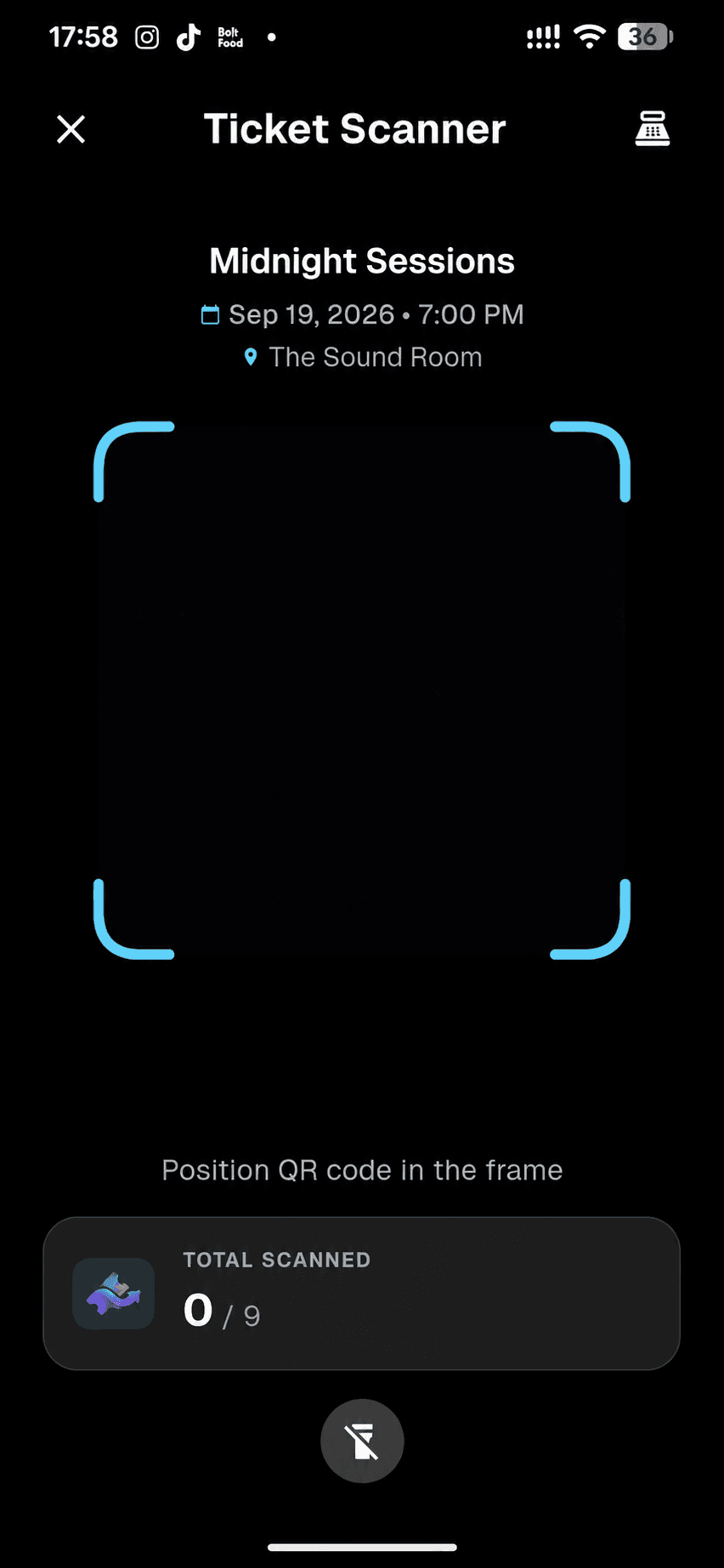
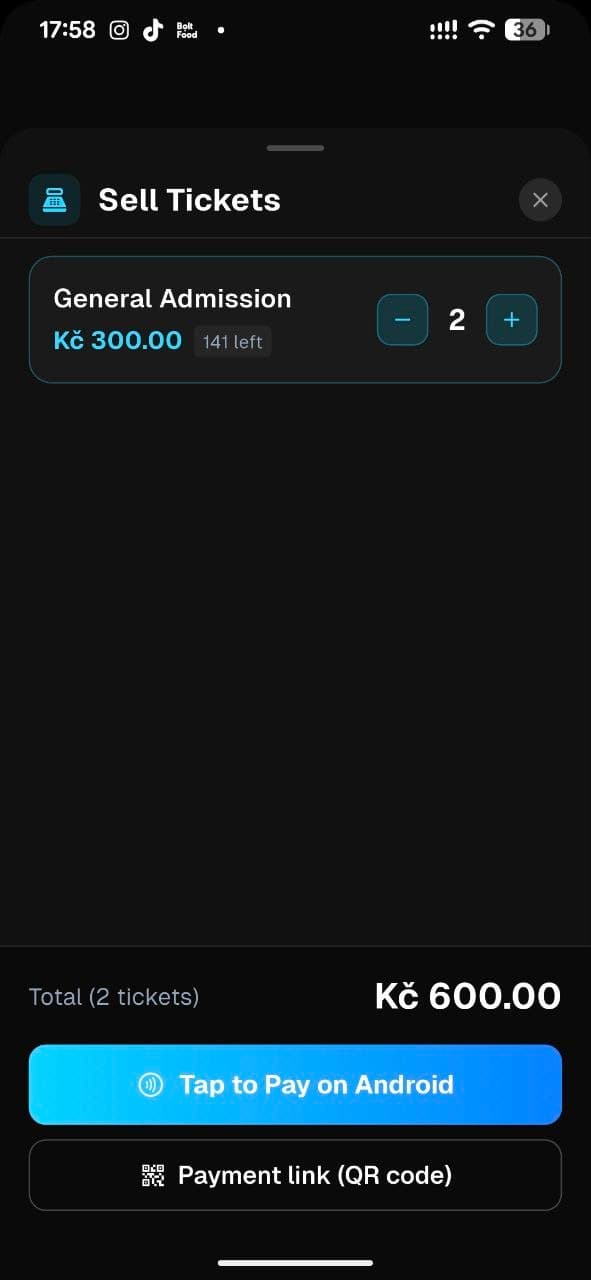
Instant QR Check-In
Read QR codes from phone screens or paper in a split second. Track live arrival counts right inside the scanner.
Works Offline in Any Venue
Basement club or remote festival? Download the ticket list before doors open, scan offline, and auto-sync when back online.
Multi-Phone Team Sync
Invite door staff to scan on their own phones with live sync across entrances – without giving them access to your revenue or Stripe.
Door Sales & Tap to Pay
Selling to walk-ins? Accept contactless card and phone payments via Tap to Pay on iPhone and Android, or display a quick QR payment link.
From idea to selling tickets in 10 minutes
Set up your event page first, see how it looks for your guests, and open ticket sales whenever you’re ready.
Step 1 · ~2 min
Create & brand your event
Set your cover art, colors, ticket tiers, and promo codes. Running a free event? Publish immediately – no Stripe account required.
Step 2 · ~5 min
Connect Stripe for instant payouts
For paid events, link a new or existing Stripe account as a business or individual. Revenue from every ticket goes straight to your balance.
Step 3 · ~3 min
Share the link & scan at the door
Add your Meta Pixel or GA4 ID, drop your ticket link in social media, and invite your door team to the TixFlow Scanner app.
Simple, transparent fees
No monthly fees. We only make money when you sell tickets.
* Stripe fees vary by country and card type based on Stripe's pricing. Revenue goes straight to your Stripe account.
Your first event is on us
Run your entire first paid event with a 0% TixFlow fee – every ticket, from start to finish. You only pay standard Stripe processing.
Free events & guest lists
Running a free workshop, community meetup, or VIP guest list? Publish right away and issue QR tickets with no Stripe account required.
Fee Calculator
What organizers say
Teams and artists running their events on TixFlow.
“Every ticket purchase shows up instantly in Stripe. We withdraw money daily and put it straight into ads. That's a completely different level of control.”

Aleksandr Penskoi · Budarush
Musician, composer & teacher based in Prague. Writes and performs original music, runs live shows, and teaches vocals and stage performance.
“It was built by people who've encountered the same challenges as event organizers. You can find all the functionality you need the most.”
Salif Yattara · NØCT Events
Party organizers based in Poland. Running multi-city club events across the country.
More reviews from organizers and event guests:
Read on TrustpilotFrequently asked questions
Quick answers about launching events, Stripe payouts, and door check-in.
Can I try TixFlow or publish a free event without connecting Stripe?
Yes. You can create an account, set up and preview your event page, publish free events, and issue guest list QR tickets without linking Stripe. You only need to connect Stripe when you are ready to publish a paid event.
Do I need a registered company, or can I connect Stripe as an individual?
Stripe supports both registered companies and individuals (sole proprietors and independent organizers). Onboarding takes about 5 minutes with a standard bank account.
Are any features locked behind paid plans, and how does the 0% first event work?
There are no subscriptions or paid add-ons: custom page branding, ad pixels, guest lists, and the check-in app are all included. Your entire first paid event runs with a 0% TixFlow fee (you only pay standard Stripe processing), and from your second event you can either pass the fee to buyers or absorb it.
How fast do I get my ticket revenue, and how do refunds work?
TixFlow never holds or freezes your funds. Every payment goes straight to your Stripe balance the moment someone buys and is paid out to your bank on your chosen schedule (daily or 1–3 business days). If you need to refund a buyer, you can do it in one click from your orders dashboard.
Do ticket buyers need an account, and how do they receive their tickets?
No account is needed. Guests enter only their email and pay in 30 seconds by card or mobile wallet. The QR ticket is delivered immediately by email and can be added to Apple or Google Wallet.
How do I let door staff scan tickets without giving them access to my finances?
In your event’s Team section or organizer-level Scanner settings, you invite staff members to the TixFlow Scanner app on their own phones. They get access only to scanning your event – with zero access to your revenue or Stripe settings.
Your event could spark the next lights
Create your event page in minutes. Your first event runs with a 0% platform fee.