
Free iOS & Android app
Scan tickets and sell at the door from your phone
Check in guests via QR codes without queues, paper lists, or rented hardware. The TixFlow Scanner app works even without internet and accepts contactless payments right at the entrance.
Your entire check-in desk on a standard phone
No need to buy or rent dedicated barcode scanners and POS card terminals. Install the free TixFlow Scanner app on your team’s phones and keep the line moving.
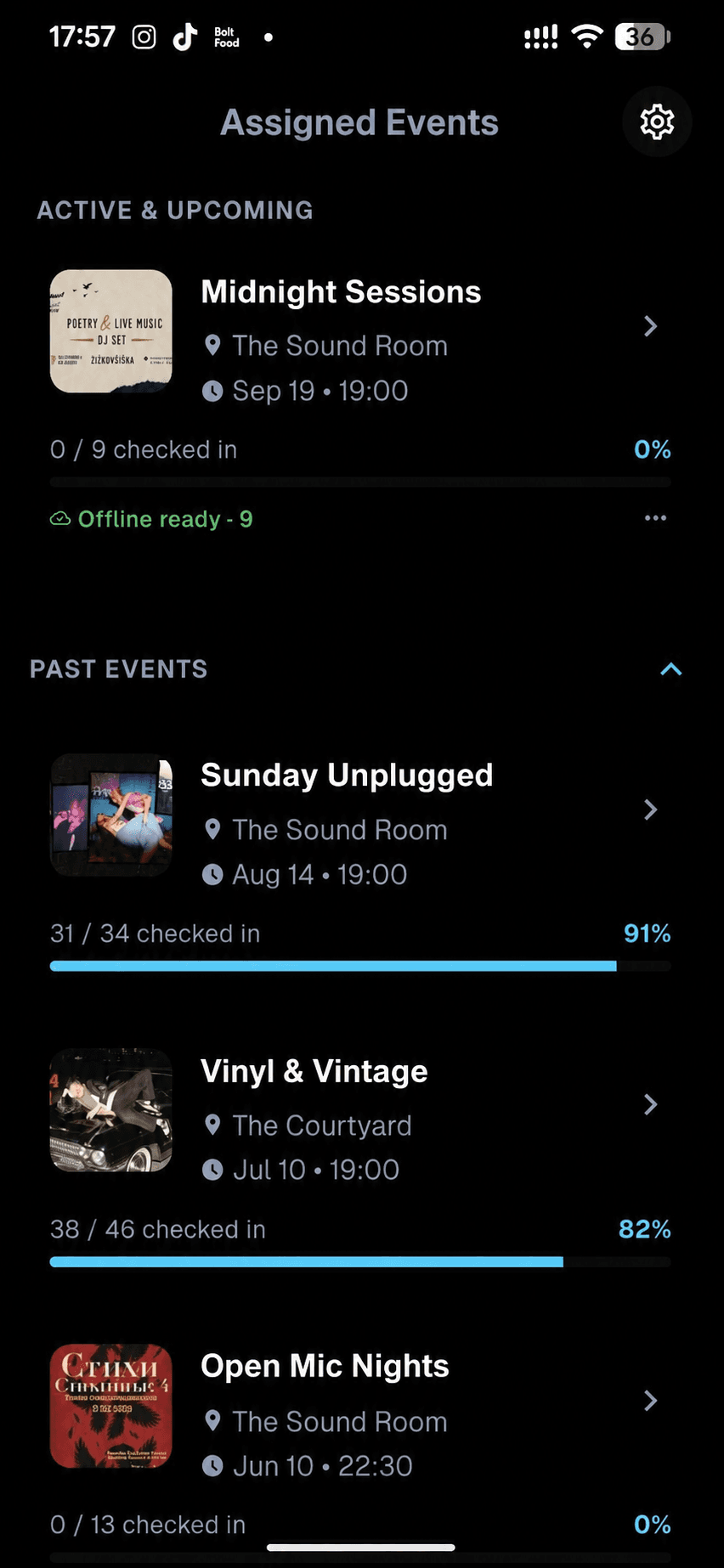
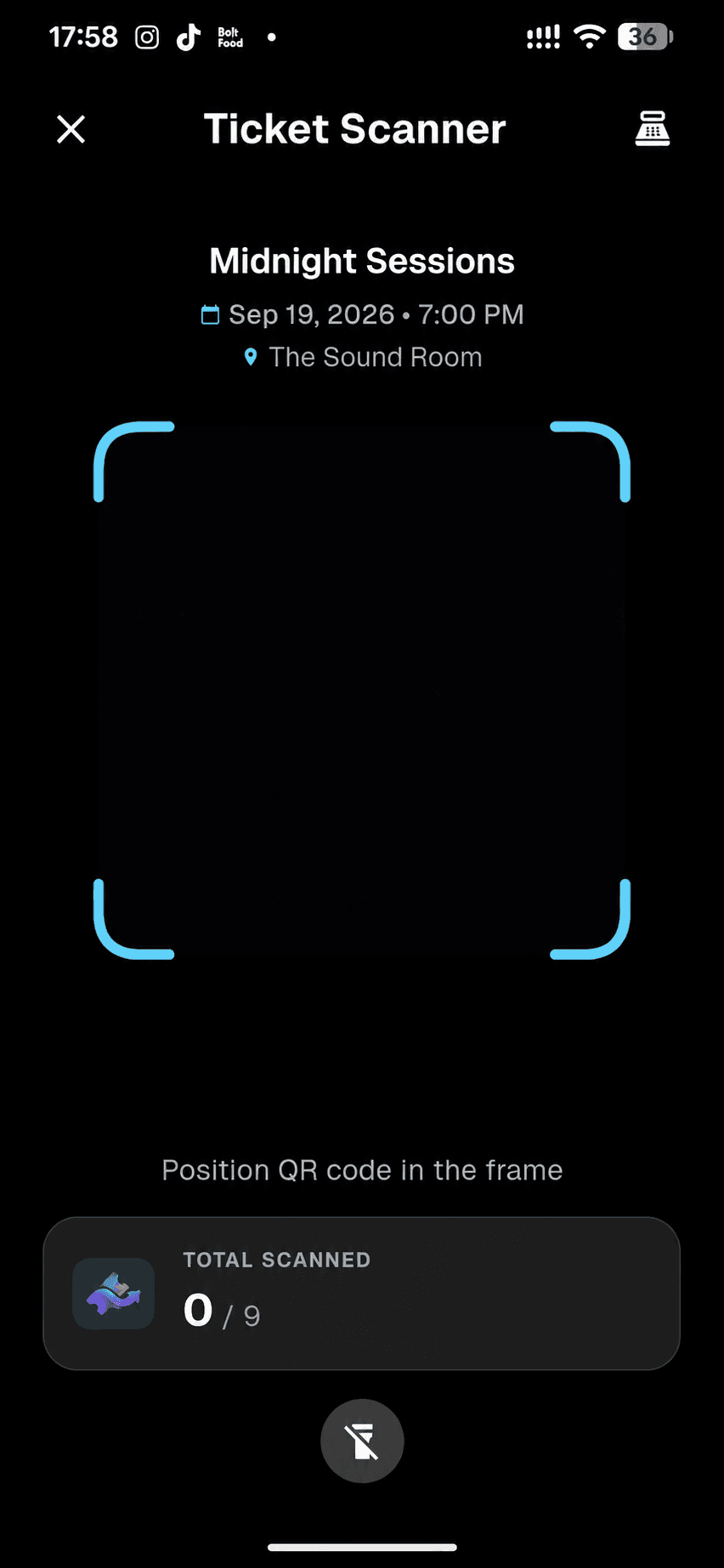
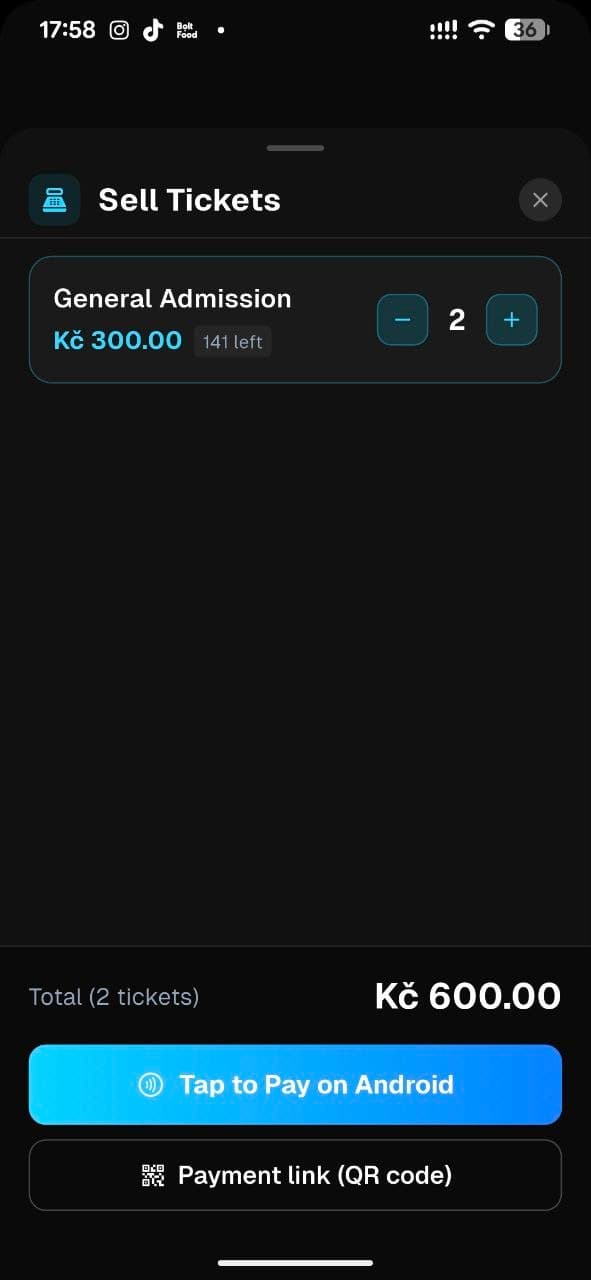
Built for busy doors and peak arrival hours
From inviting door staff to selling the last walk-in ticket, everything runs inside one mobile app.
Before doors open
Invite door staff without exposing your finances
Invite staff from your event’s Team section or organizer-level Scanner settings and download the event’s tickets in advance. Your door team gets access only to scanning for that event, with zero access to your revenue or Stripe.
Guest check-in
Scan QR codes in a split second, even offline
The camera reads tickets from phone screens or paper instantly and blocks duplicate entries. If cellular signal drops in a basement venue or outdoor field, scanning continues offline and syncs automatically when back online.
Walk-in sales
Accept door payments via Tap to Pay and QR links
No cash box or separate card terminal needed for walk-in guests. Accept contactless card and phone payments via Tap to Pay on iPhone and Android, or display a quick QR payment link on screen.
Questions about the scanner app
How duplicate protection, offline check-in, and door payments work.
“It was built by people who've encountered the same challenges as event organizers. You can find all the functionality you need the most.”
 Salif Yattara · NØCT Events, Poland
How does the app prevent two people from entering with the same ticket?
The moment a ticket is scanned, it is marked as checked in across all connected phones on your team. If someone tries to use a screenshot or copy of the same QR code again, the app immediately alerts the staff member and shows the exact time of the first scan.
What happens if our venue has multiple entrances and weak internet?
Before doors open, the app downloads your event’s encrypted ticket database locally to each phone. Staff can keep scanning with zero delay even if the connection drops, and all check-ins sync automatically as soon as a signal returns.
How does contactless Tap to Pay work at the door?
In the door sales tab, your staff member selects the ticket tier and the guest taps their contactless card, Apple Pay, or Google Pay directly against the staff member’s iPhone or NFC-enabled Android phone (or scans a QR code to pay on their own device). Funds go straight to your Stripe balance.
What phones does the app support, and can it scan printed tickets?
The TixFlow Scanner app is free for both iOS and Android smartphones. It reads QR codes from a guest’s phone screen or a printed paper ticket just as easily, and shows your live scanned ticket count right inside the app.
Run your next event without queues at the door
Set up your event page in minutes. The TixFlow Scanner app is free for you and your team, and your first event runs with a 0% platform fee.